
PhotoRec
Recover lost photos and files from damaged, deleted, or reformatted media using signature-based recovery.
Free & open-source · Read-only recovery · Part of the CGSecurity ecosystem
What is PhotoRec?
PhotoRec is file data recovery software designed to recover lost files—including video, documents, and archives—from hard disks (mechanical and SSD), CD-ROMs, and lost pictures from digital camera memory. PhotoRec ignores the file system and works on the underlying data, so it still works even when your media's file system has been severely damaged or reformatted.
It uses signature-based recovery (data carving): it searches for known file headers and footers to identify and extract files. When there is little or no data fragmentation, it can recover whole files. PhotoRec is a companion program to TestDisk (for recovering lost partitions and making non-bootable disks bootable again). Both are distributed together; for lost or deleted partitions or simple undelete on FAT/NTFS, TestDisk may be faster and can recover original filenames.
Key Features
What makes PhotoRec a trusted choice for file and photo recovery.
Signature-based file recovery
Searches for known file headers and carves data block by block. Works when the file system is missing or corrupted.
Works on damaged or reformatted file systems
Does not rely on file system metadata. Recovers from FAT, NTFS, exFAT, ext2/3/4, HFS+ and more.
Read-only recovery workflow
Uses read-only access to the source drive. Never writes recovered files back to the same partition.
Supports many devices
HDD, SSD, USB drives, memory cards (SD, CF, Memory Stick, etc.), CD-ROM, and optical media.
Broad file format support
Hundreds of formats: photos, video, documents, archives. See the full list on CGSecurity.
Disk image & forensics
Recover from raw disk images (.dd) and EnCase E01/EWF. Optional /log for recording recovered file locations.
Real Use Cases
Who uses PhotoRec and for what.
Recover deleted photos from SD cards
Memory cards from cameras and phones—when files were deleted or the card was formatted.
Recover files after accidental formatting
Drive or partition was reformatted; file system is new but data may still be present.
Salvage documents from corrupted external drives
External HDD or USB drive shows errors or is unreadable; carve files from raw data.
Recover media from camera cards with file system errors
Camera or card reader reports corruption; PhotoRec bypasses the file system.
Forensics and incident response
Work from disk images with logging for documentation; use only on authorized systems and data.
IT support and admins
Unreadable volumes, failed file systems, or user-reported data loss on workstations and removable media.
Data recovery hobbyists and power users
Transparent, scriptable, open-source recovery with full control over file types and destination.
Commands & Technical Reference
PhotoRec is read-only and does not modify registry keys or system settings. Below are common commands and usage for technical documentation and searchability.
Right-click photorec_win.exe → Run as administrator
# Or from an elevated Command Prompt:
cd C:\path\to\testdisk-7.2
photorec_win.exesudo ./photorec_static
# Or macOS (PhotoRec may prompt for sudo):
./photorecphotorec image.ddphotorec /log image.E01How PhotoRec Compares
Honest comparison with common recovery approaches. Results always depend on overwrite, fragmentation, and media condition.
vs. GUI recovery tools
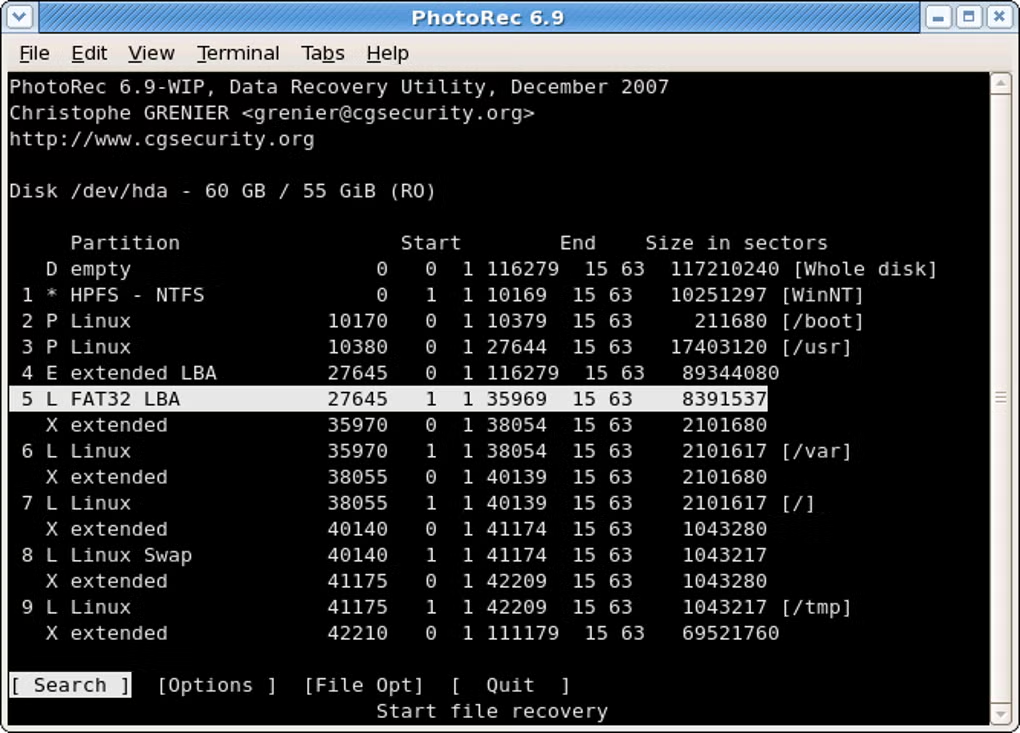
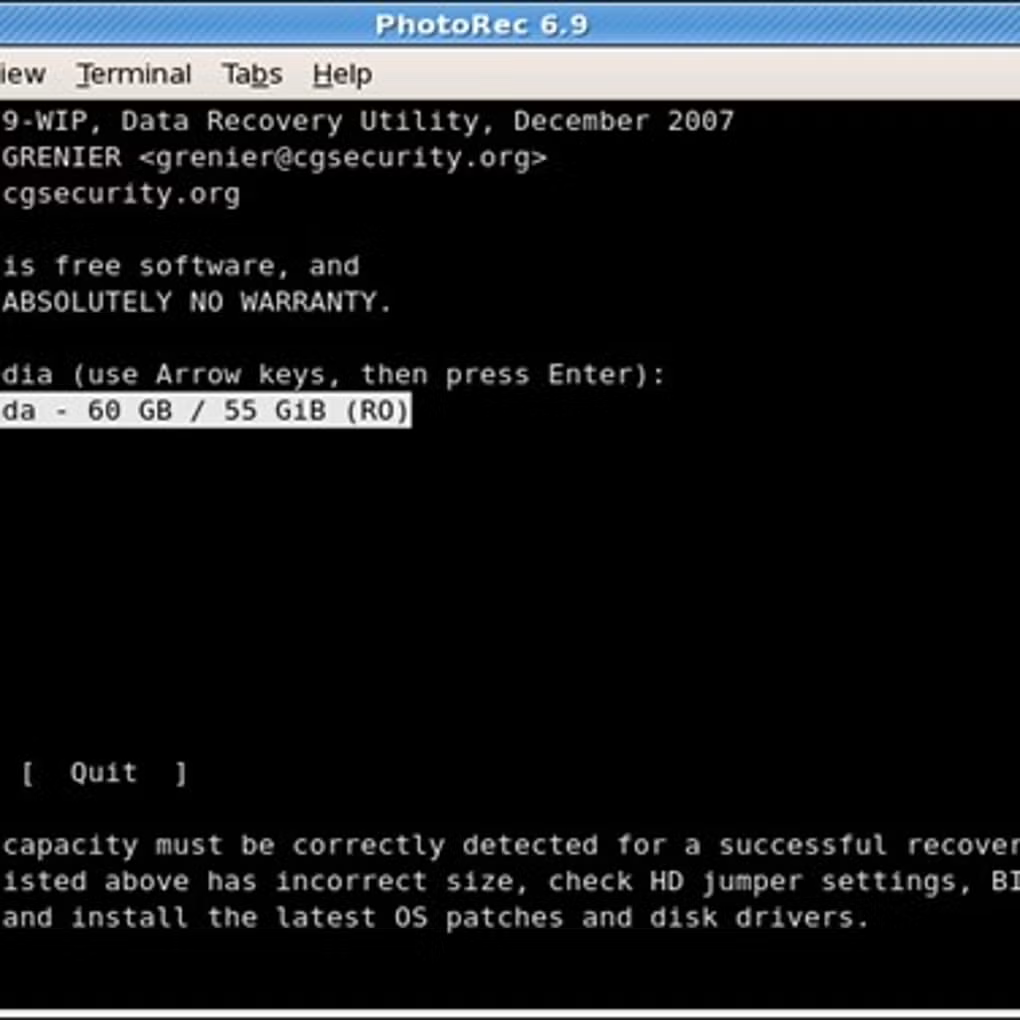
PhotoRec uses a text-based interface rather than a graphical one. You gain transparency and control (select disk, partition, file types, destination); GUI tools may be easier for beginners but often hide options. For severely damaged or reformatted media, PhotoRec’s carving approach is often more reliable.
vs. Freemium recovery apps
PhotoRec is fully free and open-source (GPL v2+). No paywall, no limited number of files. You get the same capabilities whether you use it once or in bulk. Source code can be audited for security and behavior.
vs. File-system-based undelete tools
Tools that rely on the file system (e.g. FAT/NTFS undelete) can be faster and recover original filenames and folder structure when the file system is intact. When the file system is damaged or the drive was reformatted, PhotoRec’s signature-based approach is the right choice—it ignores the file system entirely.
Recovery success depends on whether data was overwritten, fragmentation, and hardware condition. No tool can guarantee recovery.
Also from CGSecurity: TestDisk
Partition and boot recovery—the companion tool to PhotoRec.
TestDisk is free, open-source data recovery software from CGSecurity. It recovers lost partitions and can make non-booting disks bootable again when the cause is faulty software, certain viruses, or human error (e.g. an accidentally deleted partition table).
It works at the file-system and partition-table level: select the disk, choose the partition table type, and let TestDisk analyze and search for lost or damaged structures. It is best for repairing partition tables, recovering deleted partitions, fixing boot sectors (FAT, NTFS), and restoring access to drives where the file system or partition layout is damaged—not for signature-based file carving after severe file-system loss (for that, use PhotoRec).
Trust & Transparency
Open source
PhotoRec is distributed under the GNU General Public License (GPL v2+). The code can be reviewed and compiled by anyone.
Read-only and safe workflow
PhotoRec uses read-only access to the source drive. You must save recovered files to a different drive or partition—never to the same device you are recovering from.
Important disclaimers
Recovery success depends on whether data has been overwritten. Stop using the device immediately after accidental deletion or formatting to maximize the chance of recovery.
Ready to recover your files?
Choose the correct destination drive for recovered files—always a different drive than the one you are recovering from.
Download PhotoRec